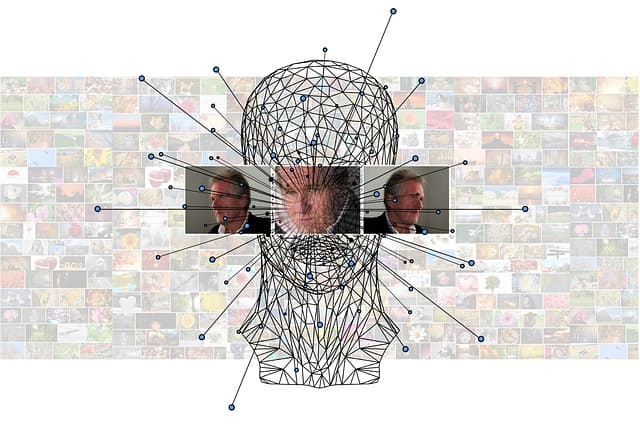
Idena runs on a unique Proof-of-Person algorithm. This means that you confirm that you are a person, but do not show your documents. This is convenient for decentralized projects, where anonymity is important and at the same time protection from bots and neural networks.
How to install the application on your computer
- Go to the official site of Idena or GitHub.
- Download an installation file suitable for your system (e.g. Windows).
- Run the installation like a normal program.
- After the first run, the program will automatically create all the necessary settings and keys.
What is noda and why do you need it
When you start Idena, a node is automatically created. This is the part of the network through which your wallet communicates with the blockchain: it receives updates, sends information, and checks transactions. All this happens in the background, the user sees only the wallet interface.
The nodekey file is your “blockchain passport”
During installation, a nodekey file is created – this is your digital identity in the Idena network. You need it to be recognized by the network. If you lose it, or someone gains access to it, your account can be stolen.
Therefore:
- Do not give anyone access to this file.
- Make a backup copy and keep it in a safe place.
Remote server – why you need it
If you want to:
- mine around the clock,
- be online during validations,
- not to be dependent on your home internet and PC,
…you can move your node to a remote server. It’s like renting a computer that runs 24/7.
You connect to the server via a special program (like PuTTY) and everything is configured there. The Idena program itself can stay on your PC and work as an interface.
Automatic installation on the server
To simplify the process, an installation script is used. It:
- downloads the necessary files,
- configures the settings,
- connects updates, and starts node automatically.
You just answer questions during the installation process – for example, “do you want to save internet?” or “enable auto-update?”. Everything is as automated as possible.
How to do everything manually (for advanced users)
If you don’t trust automation or want to control everything, you can configure it manually:
- Download the node file.
- Create configurations.
- Run it in a special environment (screen or terminal).
- Monitor logs and work.
This is more complicated, requires Linux experience, but gives you full control over the process.
Conclusion
Idena is a unique project that offers an alternative to traditional methods of identity verification in the crypto world. Instead of passports and KYC, proof of humanity is used here, making the system truly decentralized and private. Installation can be as simple (on a home PC) or professional (on a remote server). The main thing is to keep your private key safe and don’t skip validations.
Idena is your digital identity without documents, but with the trust of the blockchain.